A used car that turns out to be stolen can be taken back, and the money you paid may be gone with the seller. Most of the checks that help you avoid this are free and take a few minutes. Here's what to do, based on GOV.UK and DVLA guidance.
Key takeaways
- Get the registration number, make, model and MOT test number before you go to see the car.
- Check those details against DVLA's records and the car's MOT history online. Both are free.
- See the V5C log book in person and check its watermark and serial number.
- Match the VIN and engine number on the car to the log book before you pay.
Step 1: Get the details before you go
Before you travel to see a car, ask the seller for:
- the registration number
- the make and model
- the MOT test number
These are the details GOV.UK says you need for its used vehicle checks. A genuine seller should be happy to share them. If they won't, treat that as a warning sign.
Step 2: Check the details match DVLA's records
Put the registration number into the free DVLA vehicle enquiry service. It shows details such as the tax status, when the MOT expires, the date the car was first registered, the year of manufacture, the engine size, the fuel type and the date the last V5C log book was issued.
Compare these with the advert. A different engine size, fuel type or year can mean the plates belong to another car. A very recent log book issue date isn't proof of anything on its own, but it's worth asking the seller about.
Step 3: Read the MOT history
The free MOT history checker shows whether each test was passed or failed, the mileage recorded at each test and when the next MOT is due. Results for cars go back to 2005.
Look for mileage that drops between tests or gaps that don't fit the seller's story. While you're there, check for safety recalls that haven't been fixed.
Step 4: Check the V5C log book in person
Ask to see the V5C registration certificate when you view the car. GOV.UK says to check that:
- it has a ‘DVL’ watermark
- the serial number is not between BG8229501 and BG9999030, or between BI2305501 and BI2800000
- the details in it match what you've been told
It also helps to view the car at the address printed on the log book, so you know the seller has a real link to it.
Step 5: Match the VIN and engine number
Every vehicle registered in the UK must have a unique vehicle identification number (VIN), usually stamped into the chassis (GOV.UK). Find the VIN and the engine number on the car and check they match the V5C exactly.
Stolen cars are sometimes given the identity of a similar legal car, and copied plates are part of that. Our guide to cloned number plates explains how that works from the owner's side.
After you buy
GOV.UK says to tax the car immediately, using the green new keeper slip from the log book, and you must have insurance before you drive it. The seller tells DVLA about the sale.
Frequently asked questions
How can I check if a car is stolen for free?
Use the free GOV.UK services to check the car's details match DVLA's records and that its MOT history makes sense, then check the V5C log book in person. GOV.UK lists the V5C serial number ranges that might be stolen, so you can check those yourself.
What do I do if the V5C serial number is in a stolen range?
GOV.UK says the V5C might be stolen and you should call the police as soon as it's safe to. Don't hand over any money.
Where is the VIN on a car?
GOV.UK says the vehicle identification number is usually stamped into the chassis. Compare it, and the engine number, with the numbers printed on the V5C.
Can I drive a used car home straight after buying it?
Only once it's taxed and insured. GOV.UK says to tax it immediately using the green new keeper slip from the log book, and you must have insurance before you use it on the road.
Drift
Know where your car is
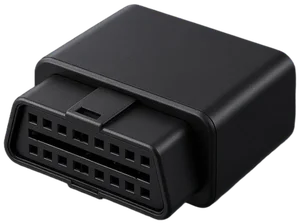
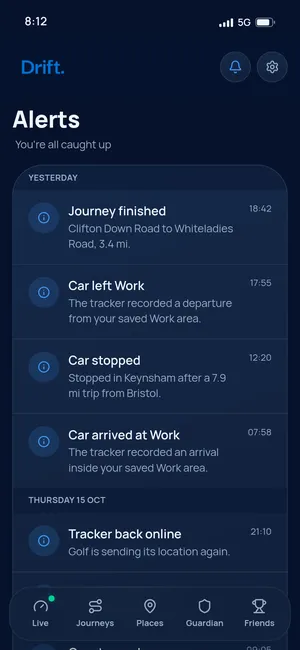
Drift is a small plug-in tracker and web app that shows your car on a live map and alerts you if it moves when it shouldn't. It can't promise to get a car back, but it helps you and the police know where it is.
See how Drift works