Sharing a car with your family, or handing the keys to a new driver, can be nerve-racking. A tracker can give everyone peace of mind, as long as you use it openly and fairly.
Key takeaways
- Tell everyone who drives the car that it is tracked, and explain why.
- Agree ground rules together so nobody feels watched.
- Places, speeding alerts and Share live are the most useful features for shared cars.
- New drivers lose their licence with 6 or more points within 2 years of passing.
Start with an honest conversation
Explain why you want it. For most families it is about safety and the car itself: knowing it got there, finding it in a busy car park, or being alerted if it is moved overnight.
Agree what you will use it for
Set some ground rules together, so nobody feels watched. For example:
- You will check the car arrived, not watch every trip live.
- Journey history is for shared costs and mileage, not for questioning every stop.
- Alerts are there to start a conversation, not to punish.
Write it down if that helps, and revisit it as a new driver gains experience.
Set up the features that help
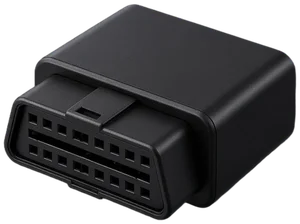
With Drift, a few features are especially useful for shared cars:
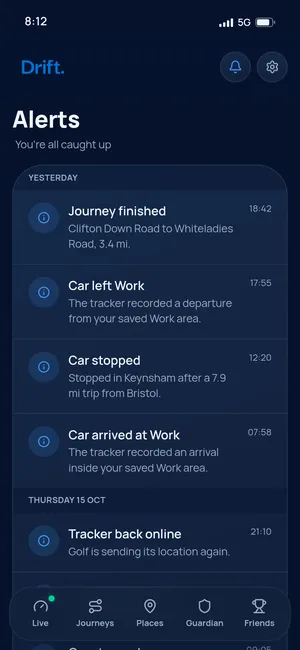
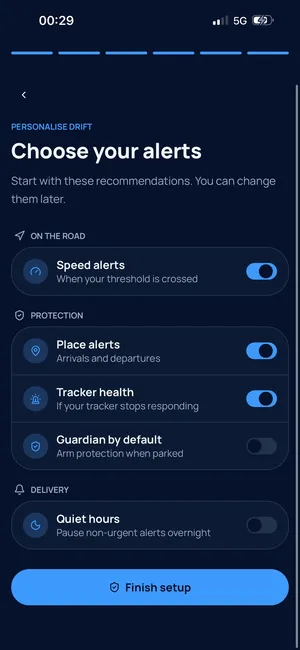
- Place alerts. Save places such as home, work, college or a grandparent's house, and get an alert when the car arrives at or leaves one.
- Speeding alerts. Choose a speed limit and get an alert if the car goes over it.
- Share live. Send a live location link to someone you trust, handy for a long drive home.
- Journeys. See previous drives and mileage over time, useful for splitting fuel costs.
- Garage. Keep several cars in one place, each with its own live map, journeys and alerts.
Drift runs in your phone's browser at live.driftgps.app, so anyone you share with doesn't need to download anything.
The new driver rules worth knowing
The first two years after passing are when mistakes cost the most. GOV.UK says a new driver's licence is cancelled if they get 6 or more penalty points within 2 years of passing their test. They would then need to apply for a new provisional licence and pass both the theory and practical tests again (GOV.UK: penalty points for new drivers).
Holding and using a phone while driving carries 6 points and a £200 fine, and GOV.UK notes you will lose your licence if you passed your test in the last 2 years (GOV.UK: using a phone while driving).
If you are supervising a learner
If a learner in your family practises in the car, GOV.UK says the supervising driver must be over 21, qualified to drive that type of car and have held a full licence for 3 years. The learner also needs the right insurance (GOV.UK: practising with family or friends).
Give more space as trust grows
As a new driver gains experience, loosen things up. Turn off alerts you no longer need, and stop checking routine trips. If an adult family member would rather not be tracked in their own car, respect that.
A tracker also helps if the car is ever taken. Our stolen car checklist explains what to do in the first hour.
Frequently asked questions
Do I have to tell someone the car they drive is tracked?
Yes. If someone else regularly drives a car with a Drift tracker, you must tell them. Tracking a person without their knowledge can be unlawful, and being open builds trust.
Can Drift tell me if a new driver is speeding?
You can set a speed limit and Drift will alert you if the car goes over it. Use it as a reason to talk, not to punish.
Can more than one person see where the car is?
Only you and the people you choose to share with can see your car's location. You can send a live location link to someone you trust whenever you need to.
Can I track more than one family car?
Yes. Drift's Garage lets you keep several cars in one account, each with its own tracker, live map, journeys and alerts.
Drift
Know where your car is
Drift is a small plug-in tracker and web app that shows your car on a live map and alerts you if it moves when it shouldn't. It can't promise to get a car back, but it helps you and the police know where it is.
See how Drift works